Find the garage opener learn button first
Garage remote
Locate the colored learn button on the motor head — or recognize when an older opener uses DIP switches instead — before you buy another remote.
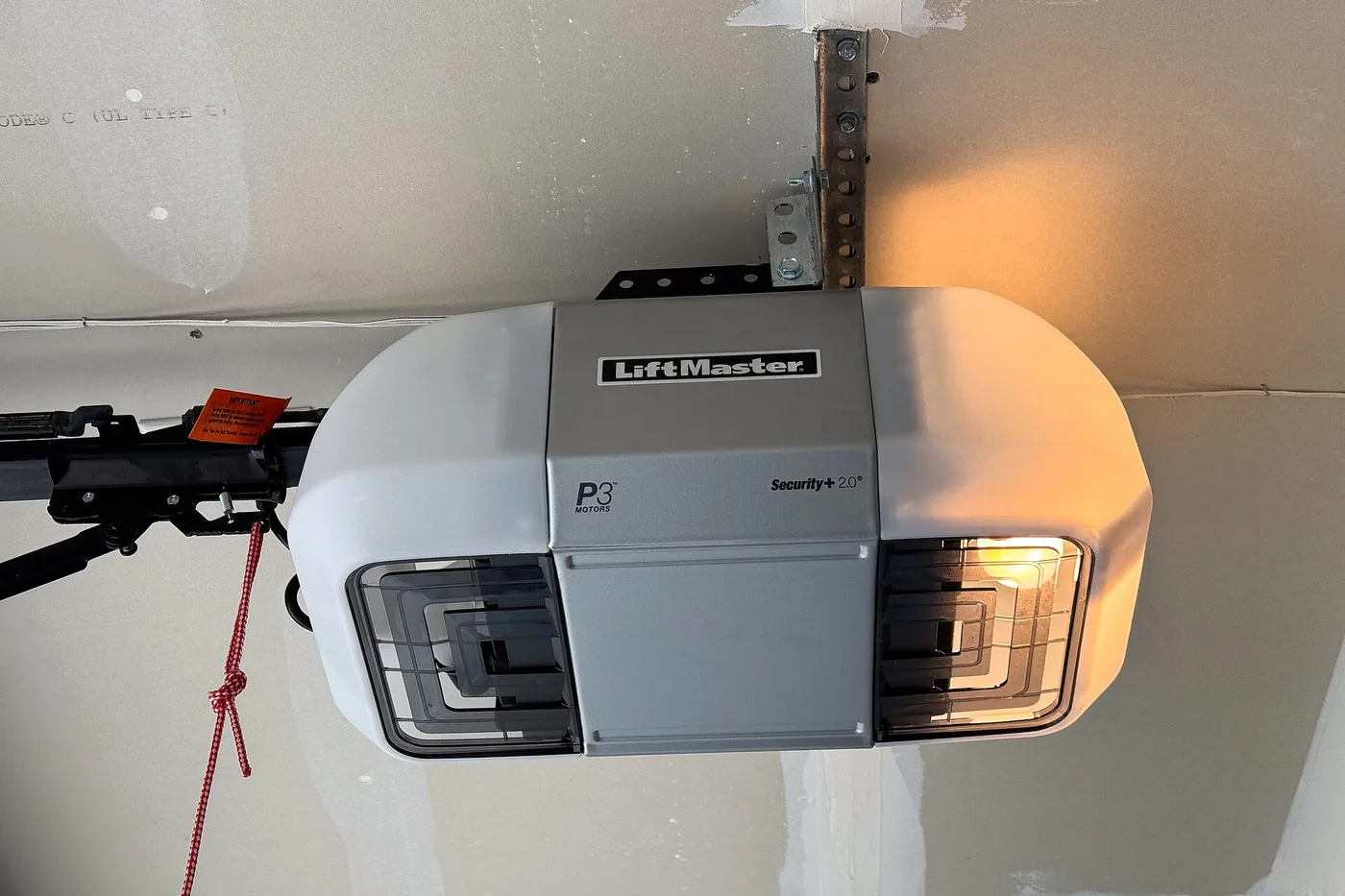
Before you buy a new remote or clear every transmitter, find how your opener learns codes. Most modern units use a colored learn button on the motor head. Some older openers have no learn button at all — they use a small DIP switch block instead.
Where to look
- Stand on a stable ladder under the opener motor (the box on the ceiling track).
- Scan the back and sides of the motor head. The learn button is often near the hanging antenna wire — a short bare wire or thin coax hanging down.
- On some models the button sits under a light lens or behind a small hinged cover on the housing. Lift the lens carefully if the manual shows that layout.
- The button is usually a colored plastic pad (yellow, purple, red, orange, or green) labeled Learn, Smart, or Program.
Pressing Learn starts a short window for pairing. This page stops at finding the button — follow your maker’s printed sequence only after you have located the right control.
Older openers: DIP switches, not Learn
If you see a row of tiny numbered switches on the remote and a matching block on the motor (or on a wall receiver), that opener predates the colored Learn button. Stop hunting for Learn. Match the switch pattern on the new remote to the opener block per the maker’s chart for that style. A “universal” remote only helps when the listing explicitly supports DIP-style openers.
Honest stop
If you cannot safely see the motor head from a stable ladder, or you find neither a Learn button nor a DIP block, stop and call a door technician. Do not defeat photo-eye sensors, prop the door closed, or force programming steps you cannot see clearly.
More help
- Same niche: Garage door remote — calendar a spare remote battery check · Garage door remote — short range? check the opener antenna wire · Check visor-clip garage remote battery door · Clean garage door remote contacts with a new battery · Garage door remote — dual-battery visor polarity check · Garage remote battery before you reprogram · Garage remote not working but wall button does · Garage door remote — soft grip vs hard clip rattle after visor swap · Garage remote short range after an LED bulb change · Garage door remote vs Homelink — stay in your lane · Garage door remote — keep it off a sunny dashboard · Garage door remote — label which button opens each door · Garage door remote — label the spare with the opener model · Garage door remote — match visor clip depth to fabric thickness · Garage door remote — retest range from mid-driveway after a battery · Garage door remote — pull the battery from a stored spare · Garage door remote — replace dual batteries as a pair · Garage door remote — replace a worn visor-clip spring · Garage door remote — soft silicone visor grip when the clip slips · Garage door remote — test from the end of the driveway after a battery · Garage door remote — wall LED blink means learn mode open · All garage remote guides
- Related fixes elsewhere: Test key fob battery range after a swap · Is it the battery or a dead fob?